TimeTEX Digitaler Trend-Schulplaner DigiPlan 2025/2026, flieder
- Order number: 105834-2526
-
Digital planner for the school year 2025/2026
- Horizontal weekdays
- Week on 2 sides, up to 10 lessons
- Organiser pages for up to 12 classes, sorted by class
- Integrated link to PDF download for use with PDF reader with comment function
- Entries possible with stylus or text tool
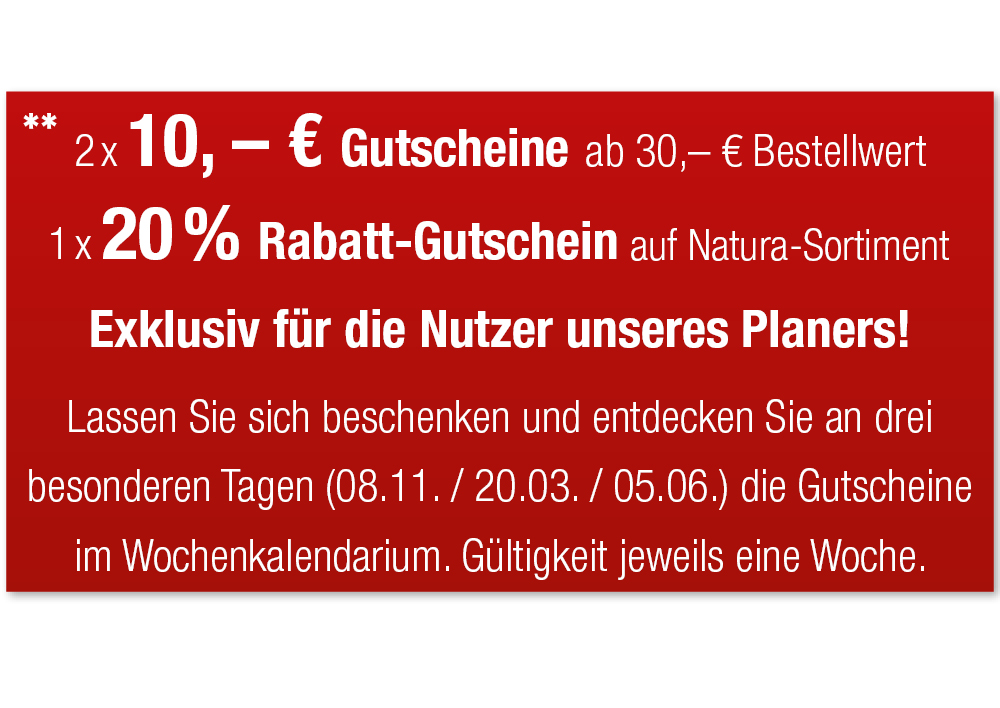
**2 x €10 vouchers. Valid from an order value of €30 each in the periods 08/11/25 – 15/11/25 or 20/03/26 – 27/03/26, 1 x 20% discount voucher on our Natura assortment, valid from 05/06/26 – 12/06/26
Download test file here: TimeTEX system school planner DigiPlan, yellow
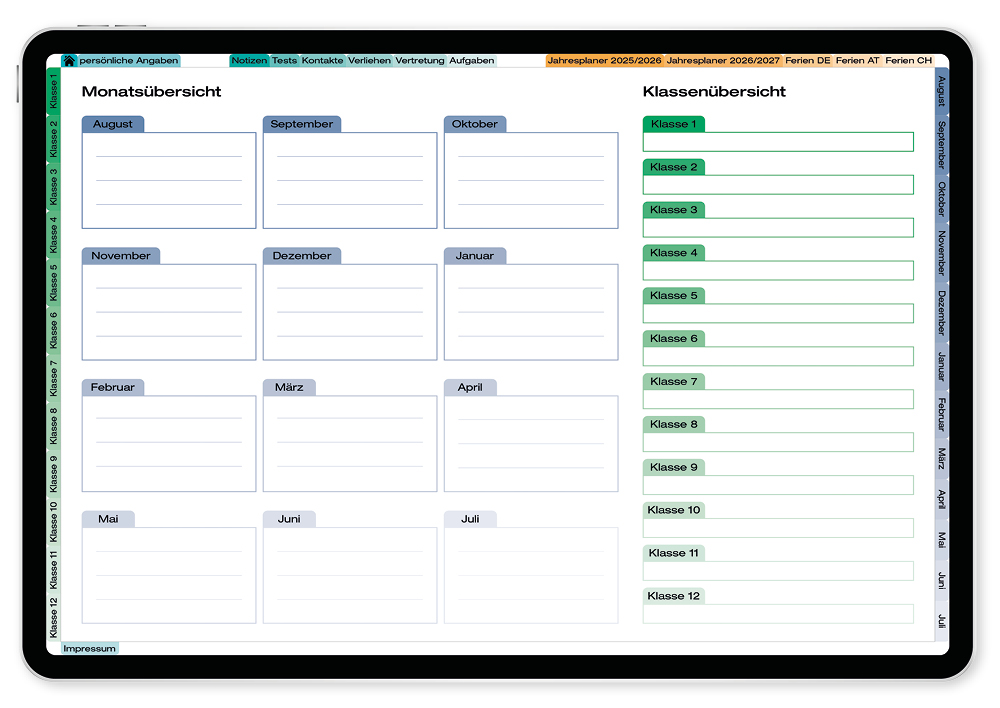
This test file is an excerpt from the PDF for the DigiPlan digital system school planner, prod. no. 107504. This only contains a few pages, which is why most of the tabs in the side index are greyed out.
The coloured tabs are linked to the corresponding pages. This means you can test the basic functionality of the PDF planner.Once the order process is complete incl. payment, the DigiPlan will be available for download in your customer account under "immediate downloads". For cancellation terms on digital products, we refer to our T&Cs.
- Detailed product description
The video shows the version 107504.
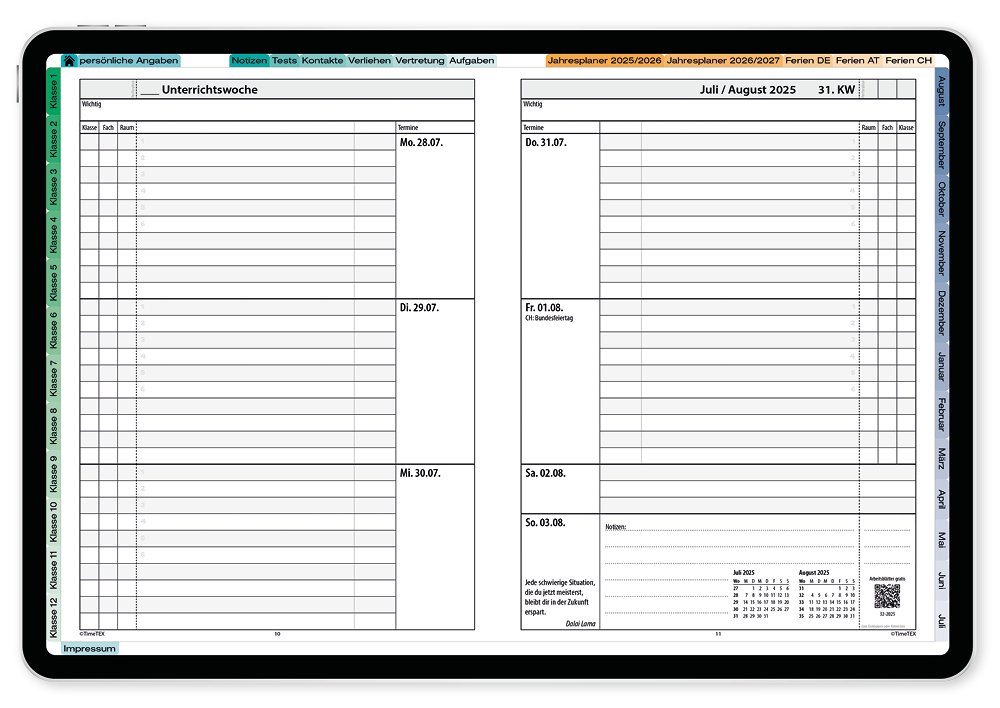
Our tried-and-tested school planner with cover in fashionable colours now also comes as a digital planner for download! The digital trend school planner is designed so it can be used for all kinds of schools. It offers organiser pages for 12 classes; the weekdays are arranged horizontally over 2 pages with additional space set aside for private appointments.
You will receive the planner as an integrated PDF download link. The file can be found once the order process is complete including payment, see "immediate downloads" in your customer account.
Requirements for use:
- PC, Mac, tablet (optionally with stylus) or smartphone
- Programme/app for editing or populating the PDFs, we recommend a PDF reader (with comment function) such as Xodo, Adobe Acrobat Reader or specialist apps available for purchase such as GoodNotes (iOS).
Our DigiPlan digital planner is specifically designed for use with digital media and is best used in landscape mode.
This is not a programme or app; what you are acquiring is an internally linked PDF, which can be used and edited using a PDF reader with comment functionality. This allows you to populate and browse through the planner digitally using a PC or — for portable convenience — using a tablet or smartphone.
Using the index available around the planner, it is easy to jump from one place to another in the planner. The different colours in the separate areas and the tab are also designed to make navigation easier for you.
Handwritten entries can be added to the planner using a stylus and the pencil tool in the comment function.
If you do not have a stylus handy, entries can also very easily be made using the text tool. The benefit of these entries is that they can be seen, filtered or selected via the comment overview.
As is standard for our planners, the class-related pages are arranged one behind the other. While DigiPlan doesn't offer the benefit of the perforation on the name columns, instead you can simply copy the entries into the name columns and insert them on the next page, positioning them as desired. This functionality means you still only need to enter student names once.
Apart from this, the DigiPlan offers you the familiar TimeTex planner with the standard popular page divisions, so there is no need to get used to a new layout. From QR code via daily and project planner to lists of students and grades and pages to round everything off: the TimeTEX DigiPlan offers everything you need for everyday school life.
Content of the DigiPlan digital trend school planner:
- Daily planner August–July
Horizontal weekdays
Weekly overview on 2 pages for up to 10 hours of lessons each day and an additional notes section for the week.
Also useful as a material distribution plan at the beginning of the school year.
Monthly overview of the current and following month on each weekly double page for an even better overview.
The timetable can be copied, eliminating the need to laboriously transfer over the timetable. - Annual and project planner
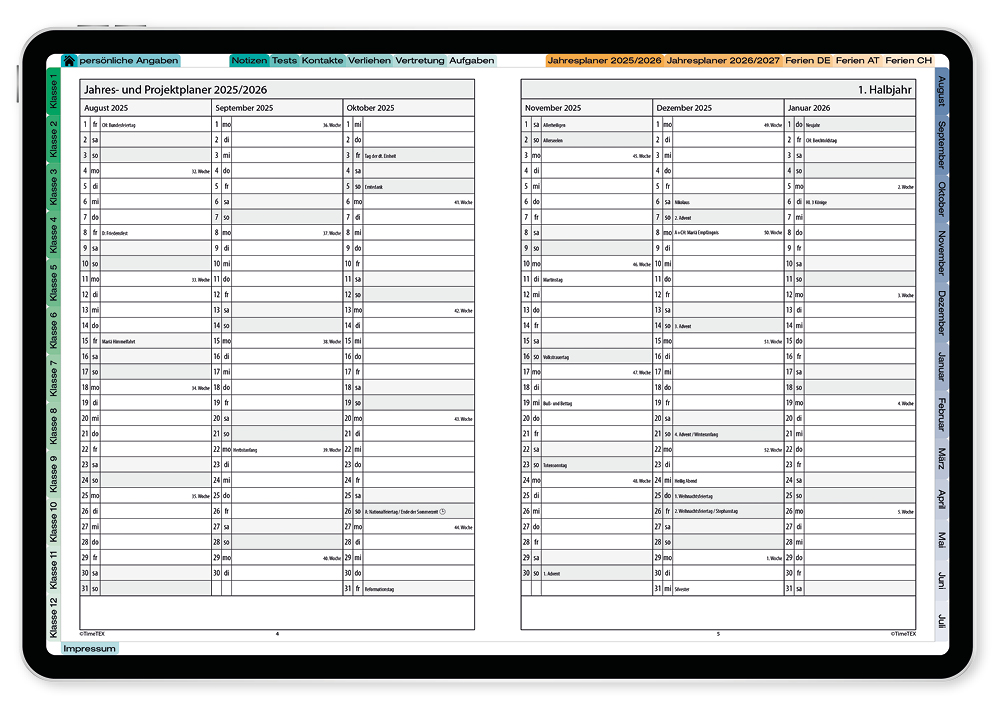
Annual summary of schedules for the current school year (4 pages) and the following school year (2 pages) with the option of entering planned class tests, etc. here. - Holiday dates + personal information
Holidays for all German states as well as for Austria and Switzerland, personal information + teacher timetable. - Pupil list
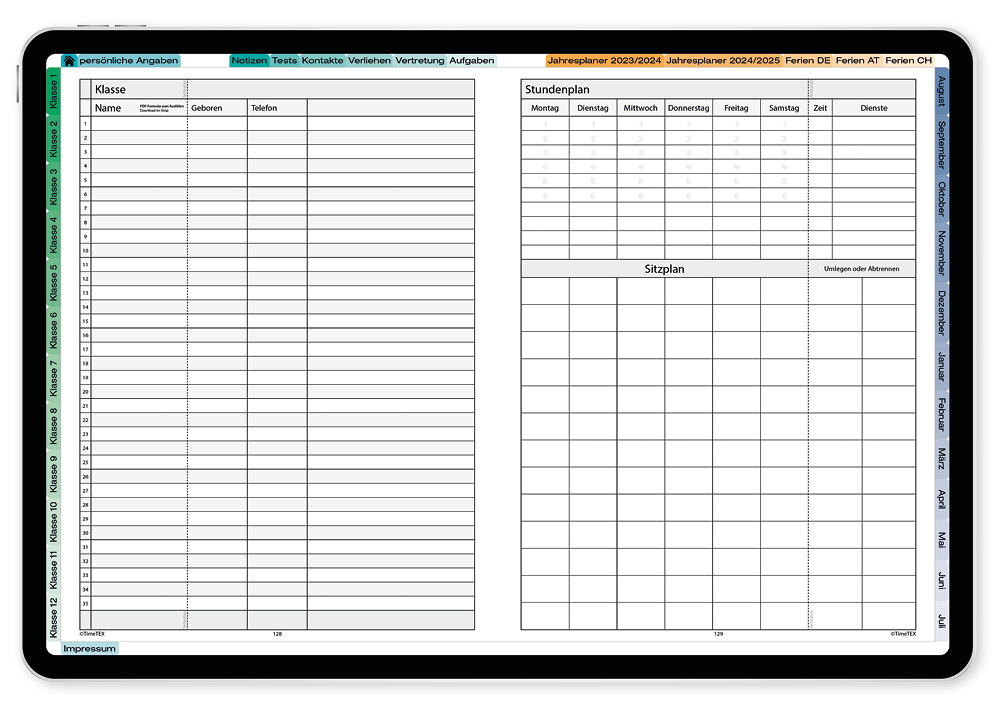
In addition to the most important pupil data, this double side also has a class timetable and a seating plan. Class organiser pages for up to 12 classes on 6 pages.
The name columns can be copied i.e. pupil names only have to be entered once! - Grades list (multi-functional pages)
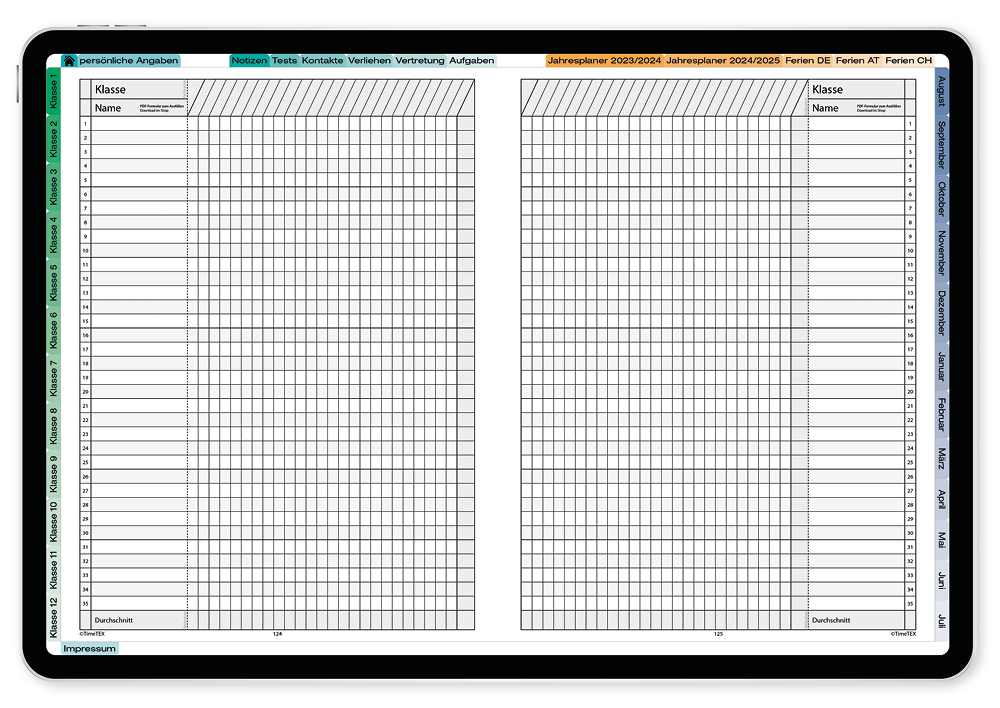
Intentionally created without fixed categories so that you can create your own. Likewise, you can use them for list functions, remarks, checklists and notes as multifunction pages. - To round off
An additional 6 pages for notes right at the end, 1 each for important contacts, planned class work, loaned items and cover lessons/absences!
A "quote of the week" in the daily planner provides you with little worldly wisdoms and sayings.
Using a QR code you have access to downloadable information and worksheets (including solutions), so you have up-to-date cover material and lesson content for every day of the year. The prompt here is always the date: sometimes it's a birthday or anniversary of someone's death, sometimes it marks a discovery, invention or other event.
The special TimeTEX DigiPlan format:
- Internally linked PDF to make navigation easier
- Entries possible with stylus or text tool
- Flexible daily planner for up to 10 hours
- Class organisation for lists of pupils/grades, seating and lesson plans, notes, checklists
- Pupil names for all lists only need to be created once thanks to copy function
- Up to 12 classes on 6 pages (pupils/grades list, etc.)
Other advantages:
- Lesson planner possible for material distribution at the start of the school year
- Clearly arranged with class-by-class summary of all pupil data sheets
- Flexible, because the blank forms allow maximum individualisation
- Easy to use, as pupil names only have to be entered once per class
- Documentation for the end of the school year as an exact record of pupil performance
Download test file here: TimeTEX system school planner DigiPlan, yellow
This test file is an excerpt from the PDF for the DigiPlan digital system school planner, prod. no. 107504. This only contains a few pages, which is why most of the tabs in the side index are greyed out.
The coloured tabs are linked to the corresponding pages. This means you can test the basic functionality of the PDF planner.
The demonstration video shows product version 107504 TimeTEX digital system school planner, DigiPlan, yellow. This DigiPlan 105834 deviates slightly in content and appearance from that shown in the video, however it works in exactly the same way.
Please note that digital products cannot be returned. For cancellation terms on digital products, we refer to our T&Cs.